
Shopify Flow
Shopify Flow can create the task. ShopTasks assigns the human work.
Use Shopify Flow to watch store events, then create a ShopTasks task with an owner and the Shopify order attached — so follow-through does not depend on someone noticing a dashboard.
Flow can branch. Someone still has to do the work.
Shopify Flow is good at if-this-then-that: tag an order, send an internal email, hold fulfilment. Emails and tags are not ownership. The person who must review the high-risk order, pack the wholesale note, or look at the refund still needs a task that stays open until it is done. Without that, Flow automates the signal and the human step is still memory.
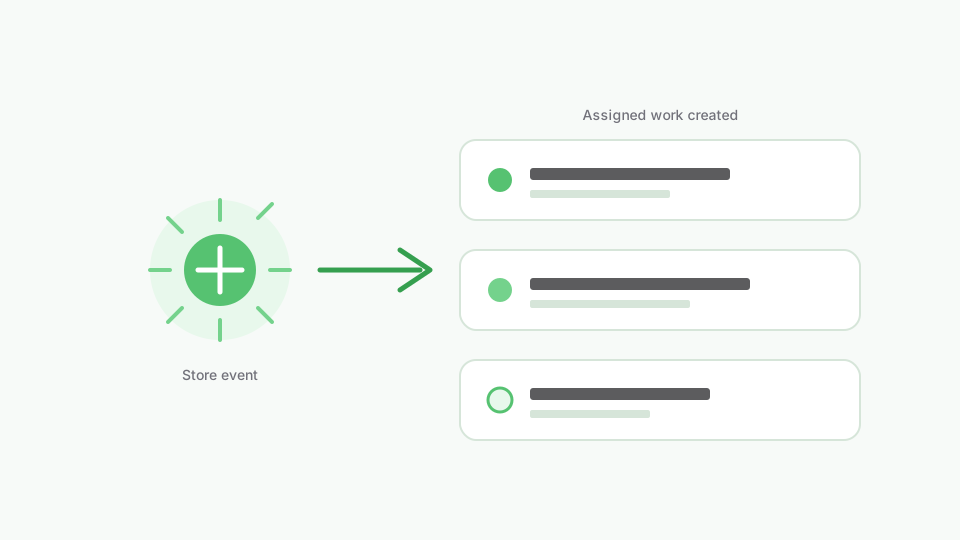
Flow trigger → ShopTasks action → assigned work
ShopTasks is the action at the end of a Flow: create a task, name it for the order, assign operations or warehouse, keep it open until completion. You keep using Flow for the conditions you already trust. ShopTasks is where the resulting work is tracked. We document concrete recipes — high-risk, unfulfilled, order tags, wholesale, large orders, refund review — so you can install and build the workflow without guessing.
How Flow and ShopTasks work together
- 1
Pick the Shopify event
Order created, order tagged, refund created, fulfilment failed — the same triggers you already use in Flow.
- 2
Set the conditions you care about
Risk is high, tag is `wholesale`, total is above your threshold, order is still unfulfilled.
- 3
Create a ShopTasks task
The action opens work with a useful title, the order attached, and an assignee — not a fire-and-forget email.
- 4
The owner completes it in ShopTasks
Due dates, comments, and boards hold the work until someone finishes the human step.
Flow creates a high-risk review task
Trigger → conditions → ShopTasks task → assignee → completion
- When
Order created
- If
Order risk level = high
- Then
Create ShopTasks task: Review high-risk order #1234
ShopTasks task assigned to operations, linked to the order, due before the usual fulfilment time.
- Assign
Operations team
- Complete
Reviewer clears or cancels the order; the Flow-created task is the record that the check happened.
What this changes
-
Conditions you already use
Keep your Flow logic. Add a ShopTasks action so a person is responsible for the outcome.
-
Tasks, not only tags
A tag on the order is a label. A task is work that can be overdue.
-
Recipes you can copy
High-risk, tags, wholesale, large orders, refunds, and unfulfilled follow-up each have a workflow page.
-
Still free to install
ShopTasks is free on the Shopify App Store. You can build these Flows after install.
Who this is useful for
- Merchants already using Shopify Flow who need human follow-through
- Ops leads who want tasks created when orders match a rule
- Stores that currently email themselves from Flow and lose the thread
- Anyone setting up high-risk, wholesale, or tag-based order handling
Browse Shopify Flow workflows
Each workflow page shows WHEN, IF, THEN (create ShopTasks task), ASSIGN, and the operational outcome — readable before you install.
Open the Shopify Flow workflow →
Install ShopTasks — Free“Great app! We were looking for an app to manage order workflow tasks across our staff and wanted something that integrated natively with Shopify on the backend. ShopTasks delivered and the level of customization was quite appealing.”
Free to install · Up to 500 active tasks · Unlimited staff & boards
Built specifically for Shopify · Shopify Flow integration
FAQ
Do I need Shopify Flow to use ShopTasks?
No. You can create tasks manually and with ShopTasks automation policies. Flow is the best way to create tasks from Shopify events you already automate.
What does the Flow action create?
An operational task in ShopTasks — typically linked to the order — with a title, assignee, and the context needed to finish the work.
Is this the same as ShopTasks automation policies?
Related, not identical. Policies run inside ShopTasks. Flow runs in Shopify and can call ShopTasks as an action. Use whichever matches how you already automate.
Is ShopTasks free?
Yes. Free to install, with up to 500 active tasks, unlimited staff, and unlimited boards.