
Wholesale orders
Wholesale Shopify orders need extra steps — and someone who owns them.
ShopTasks turns wholesale orders into assigned operational tasks: confirm terms, add packing slips or inserts, and fulfil with a named owner instead of hoping the B2B note is read at pack-out.
Wholesale is rarely a standard checkout path.
A wholesale order may need net terms confirmation, a custom pack slip, pallet notes, a buyer PO on the box, or a hold until credit is cleared. Shopify can tag it `wholesale` or use a B2B catalogue. The extra human steps still fail in the same way every time: they live in an order note that packers skim, or in an email to a sales manager who is already on a call. Retail volume then buries the wholesale order until the buyer chases.
Wholesale extras as a checklist of owned tasks
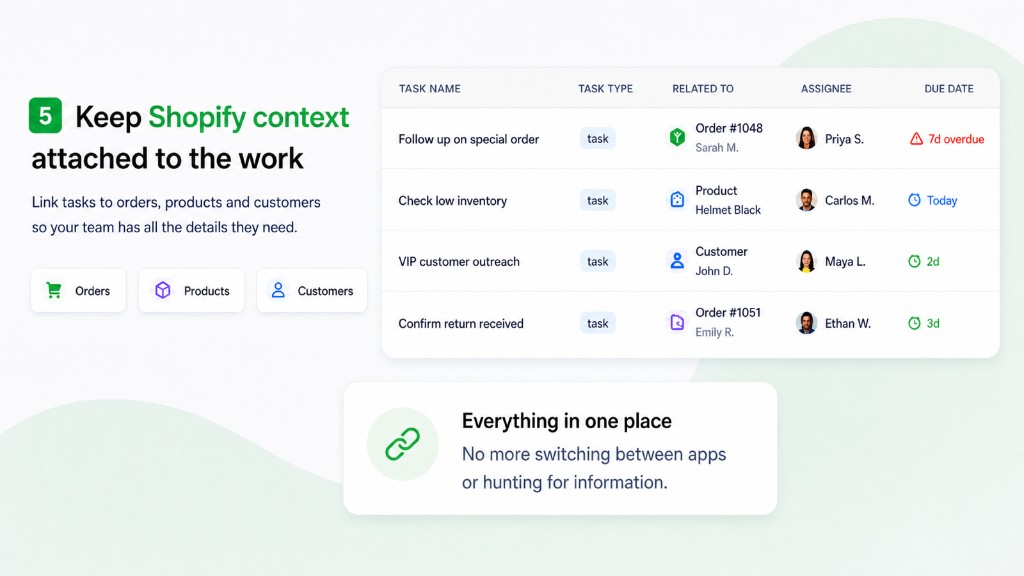
When a wholesale order is created or tagged, create a ShopTasks task (or a short set of tasks) linked to that order: confirm terms, prepare pack presentation, notify the buyer of ship date. Assign sales ops or warehouse depending on the step. Shopify Flow can start this the moment the order is tagged `wholesale` or comes from a wholesale customer. ShopTasks is not a B2B portal. It is the operational follow-through those portals still leave to your team.
Wholesale order processing workflow
- 1
Wholesale order arrives
B2B checkout, draft order, or a `wholesale` tag on a standard order.
- 2
Create the extra-step task
For example: 'Confirm terms and pack slip for wholesale order #5501'.
- 3
Split ownership if needed
Sales ops confirms terms. Warehouse owns packing presentation. Both can sit on the same order-linked work with comments.
- 4
Fulfil only when the extras are done
The task closing is the signal that the wholesale requirements were actually completed.
Tagged wholesale order
Trigger → conditions → ShopTasks task → assignee → completion
- When
Order created or order tagged
- If
Order tagged `wholesale`, or customer is a wholesale company.
- Then
Create ShopTasks task: Process wholesale requirements for order #5501
Confirm payment terms, add the buyer PO to the pack slip, and assign warehouse for custom packing.
- Assign
Sales operations (then warehouse)
- Complete
Terms confirmed, packing completed to the wholesale note, order fulfilled with a record of who did each step.
What this changes
-
Packing notes become assigned work
Custom inserts and pallet notes are tasks, not optional reading on the order.
-
Terms are checked on purpose
Credit or net-term confirmation has an owner before the order ships.
-
Retail volume cannot bury B2B
Wholesale tasks show on the board even when D2C orders dominate the day.
-
Tags and Flow start the process
If you already tag wholesale orders, you can create the ShopTasks work automatically.
Who this is useful for
- Shopify merchants selling wholesale alongside D2C
- Sales ops teams confirming terms on each B2B order
- Warehouse leads who need packing instructions that actually get done
- Stores using a `wholesale` tag or Shopify B2B
Shopify Flow for wholesale orders
WHEN order created or tagged → IF wholesale → THEN create a ShopTasks task for sales ops or warehouse. The workflow page shows assignment and outcome.
Open the Shopify Flow workflow →
Install ShopTasks — Free“Great app! We were looking for an app to manage order workflow tasks across our staff and wanted something that integrated natively with Shopify on the backend. ShopTasks delivered and the level of customization was quite appealing.”
Free to install · Up to 500 active tasks · Unlimited staff & boards
Built specifically for Shopify · Shopify Flow integration
FAQ
Is ShopTasks a wholesale or B2B ordering app?
No. It manages the human steps after a wholesale order exists in Shopify — terms, packing, and follow-up.
Can we use this with Shopify B2B?
Yes. If the order is in Shopify, you can link a task to it. Trigger from a tag, a customer tag, or a Flow condition you already use for wholesale.
What if wholesale orders need several steps?
Start with one task that lists the extras, or create separate tasks for terms and packing. Keep them linked to the same order.
Is ShopTasks free?
Yes. Free to install, with up to 500 active tasks, unlimited staff, and unlimited boards.