
Shopify order tasks
Shopify order task management for work that cannot stay on the order timeline.
ShopTasks turns orders that need a human action into assigned, trackable tasks linked to the Shopify order — so a hold, review, or special instruction does not disappear into chat.
Shopify records the order. It does not assign the follow-up.
Most orders flow. The ones that do not — payment holds, packing notes, address questions, wholesale amendments — still need a person. Teams mention those orders in Slack or leave a note on the order timeline. By the next shift, nobody is sure who owns the next step, or whether it was done. Shopify order management tracks status. It does not give the exception a named owner and a due date.
How ShopTasks handles Shopify order tasks
When an order needs manual action, ShopTasks creates a task attached to that order. You assign it, set a due date, and keep comments on the work. The order stays the system of record. The task is the system of follow-through. If the same exception repeats — a tag, a risk flag, a value threshold — Shopify Flow or a ShopTasks automation policy can create the task so nobody has to remember.
A typical Shopify order task workflow
- 1
The order needs a person
A hold, packing requirement, payment question, or review flag appears on an order that cannot ship on the default path.
- 2
Create an order-linked task
Open a ShopTasks task from the order (or let Flow create it) so the work stays attached to order #18452 instead of a chat thread.
- 3
Assign an owner and a due date
Ops, support, or warehouse gets one named owner. The due date matches the ship window, not 'whenever someone sees it'.
- 4
Complete against the order
When the hold clears or the packing note is done, close the task. The next person can see what changed without reconstructing Slack history.
Special-order packing note
Trigger → conditions → ShopTasks task → assignee → completion
- When
Order #18452 is created with a note: custom insert required before ship.
- If
Order is tagged `special-pack` or the note is flagged for ops.
- Then
Create ShopTasks task: Add custom insert before fulfilling order #18452
Warehouse lead owns the packing step. The Shopify order is linked so the insert note is on the task, not only on the order timeline.
- Assign
Warehouse lead
- Complete
Insert added, task marked done, order proceeds to fulfilment with a record of who finished the extra step.
What this changes
-
Exceptions stay on the order
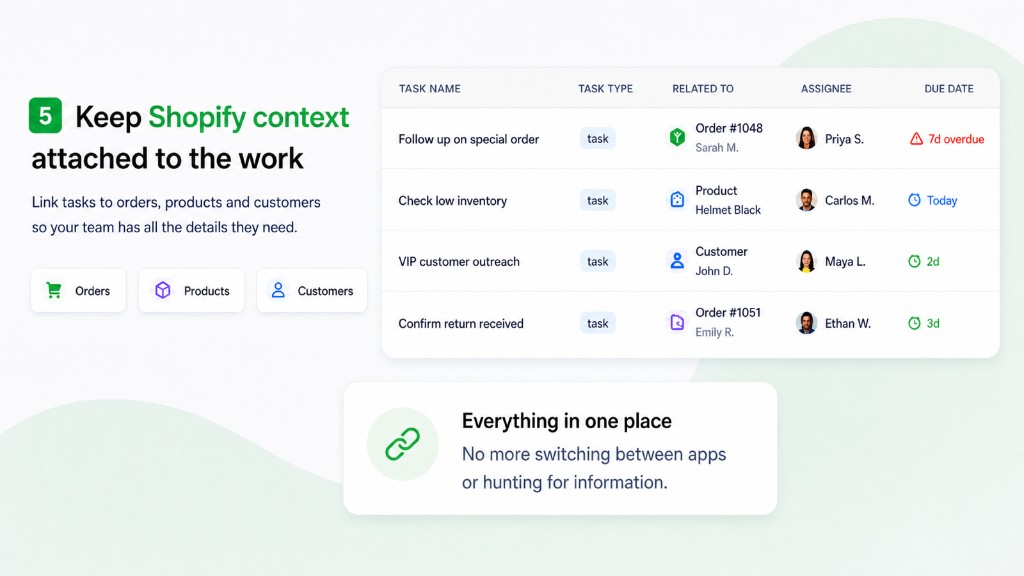
Follow-ups are linked to the Shopify order, so context does not scatter across inboxes.
-
Hard orders get deadlines
Holds and special requirements have due dates the same way routine work should.
-
Managers see open order work
Unowned and overdue order tasks surface before the customer asks where the shipment is.
-
Repeat patterns can create tasks
Shopify Flow and automation policies can open the same kind of order task whenever the condition appears.
Who this is useful for
- Ops leads who handle holds, reviews, and special orders every week
- Support teams that promise a follow-up on a specific order
- Warehouse staff who need packing notes that actually get owned
- Shopify merchants who are tired of assigning order work in chat
Create order tasks from Shopify Flow
When an order is created, tagged, or flagged for review, Flow can create a ShopTasks task with the order attached and an assignee already set. You do not have to remember to open the follow-up.
Open the Shopify Flow workflow →
Install ShopTasks — Free“Great app! We were looking for an app to manage order workflow tasks across our staff and wanted something that integrated natively with Shopify on the backend. ShopTasks delivered and the level of customization was quite appealing.”
Free to install · Up to 500 active tasks · Unlimited staff & boards
Built specifically for Shopify · Shopify Flow integration
FAQ
Is this a replacement for Shopify order management?
No. Shopify remains the system of record for the order. ShopTasks manages the human work the order still needs — review, hold clearance, packing notes, and follow-up.
Can a task link to a specific Shopify order?
Yes. Order-linked tasks keep the follow-up attached to the order your team already works from.
Can order tasks be created automatically?
Yes. Shopify Flow and ShopTasks automation policies can create a task when an order matches a condition — a tag, a risk level, a value threshold, or an unfulfilled age.
Is ShopTasks free?
Yes. ShopTasks is free to install on the Shopify App Store, with up to 500 active tasks, unlimited staff, and unlimited boards.